In case you were wondering. Courtesy of redditor u/backpackwayne, here is a master list of four years of astonishing accomplishments, (broken down by year) as opposed to a GOP congress’ virtually nothing except obstruction and denial. This probably won’t affect a single MAGA voter, but it’s a fascinating read anyway.
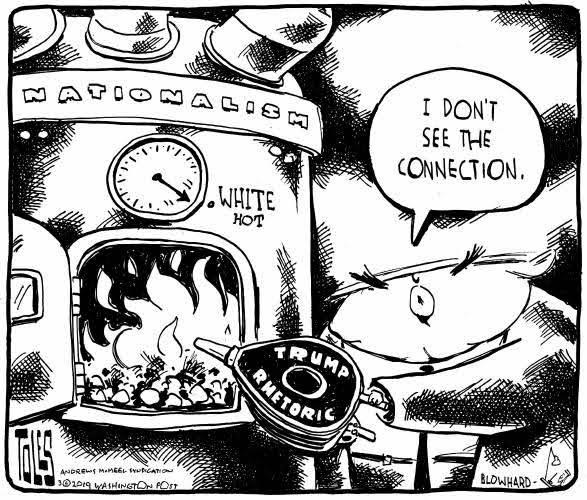
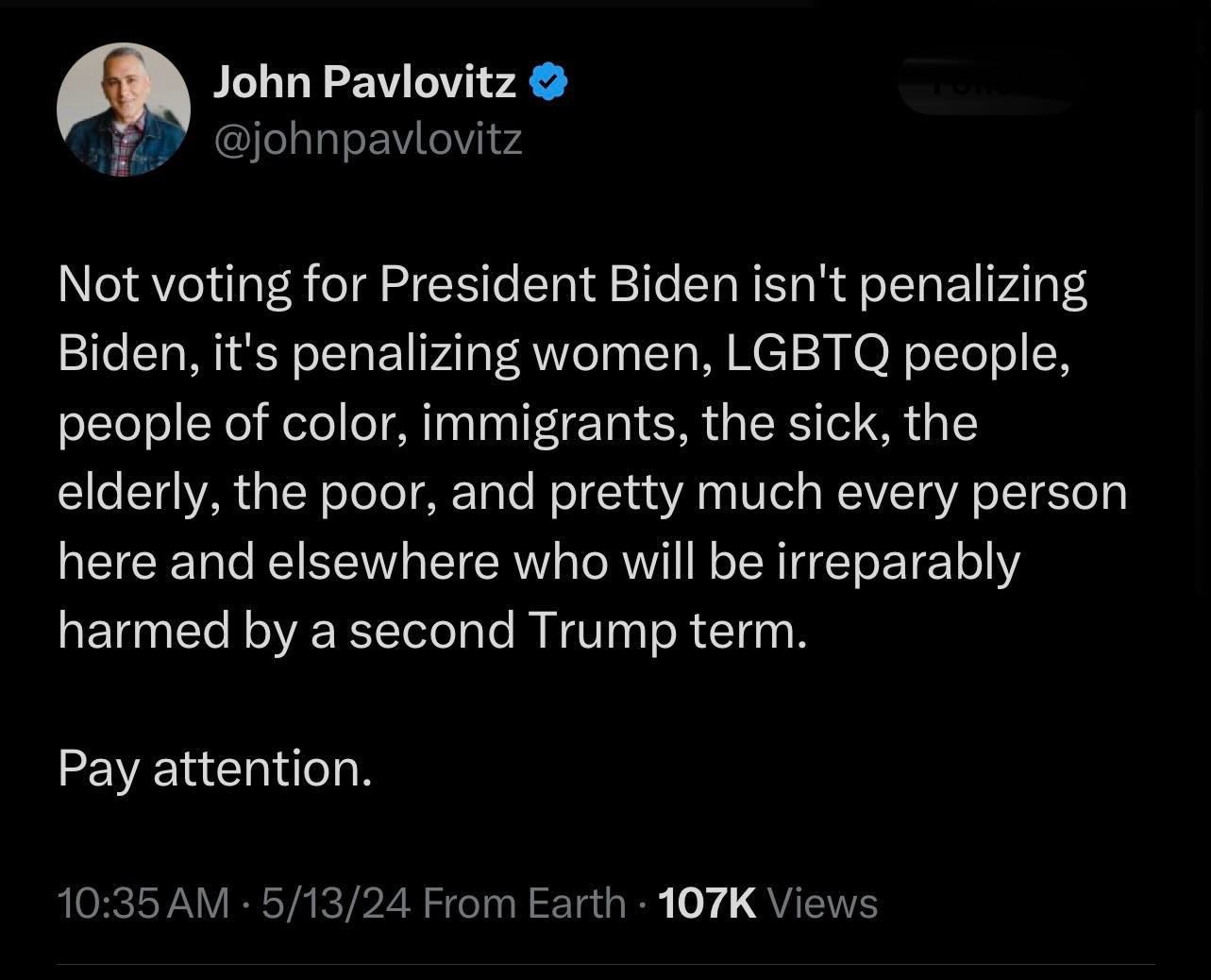
Get out and vote. Democrats and progressives need to turn out in Massive Numbers in November. Overwhelmingly massive numbers. Because the MAGA crowd will be voting for the Orange Catastrophe despite everything good President Biden has done, and despite everything horrific and destructive that the other guy did (and has promised more of.) Sixty years of GOP propaganda, amplified by Russian and Chinese disinformation, have turned their hatred for “weakness” into a white-hot firestorm.
Ad-blockers and FB Purity or Social Fixer are pretty much “de rigueur” these days if you want any sort of a sane experience on Facebook. Sadly, those conveniences don’t exist for the mobile platform. And since I pretty much use my phone for everything for the most part, I’m assailed with a news feed that is about 10% things I want to see from my friends, family, and groups I like, and the rest is ads (mostly scams), promoted posts (mostly clickbait), and groups that I have no interest in (Facebook’s insane, desperate bid for more engagement – meaning more clicks and eyeballs on advertisements.)
I’ve had one or two good experiences buying things from FB ads, but I’ve been badly stung by Chinese scammers, and so I’ve sworn those transactions off. Facebook does an abominable job vetting their advertisers, and they’ll take money from anyone who has two coppers to rub togrther. Combine that with the facts that far too many Chinese businesses have all the ethics of a starving honey badger and the CCP encourages businesses to take advantage of America, and Facebook’s advertising landscape becomes worse than the lawless Old West.
But leaving the outright criminal scams aside, far too many of Facebook’s promoted posts are designed to serve up as many advertisements as possible. Look at a few examples that I’ve scraped off of Facebook just in the last two days:
Notice first of all that the entity making the post is simply linking to another website, usually one dedicated to serving advertisements and scraping information from visitors. If there’s no direct relationship between the poster and the link site, then these entities are simply functioning as affiliate marketers.
Make no mistake, some of these websites provide some interesting information and visiting them can be very entertaining, but if you do happen to click through to these websites out of curiosity, you will find one or two things that make your experience there a lot less than fun, if you’re trying to find out the story behind the ad.
Many of these sites are broken up into 50 or 60 different sub-page, so that every time you click on “next” you get a whole new crop of ads to look at. The ones that aren’t like this will have you scrolling and scrolling and scrolling until the heat death of the universe, with an advertisement inbetween each factoid. And most annoyingly, many of these lists don’t even contain anything about the image or story that got you to click in the first place, or else the hook is much less intriguing than they make it out to be.
Clickbait has been with us for a couple of decades at least. The term was coined in December 2006 by Jay Geiger in a blog post, and refers to treating internet users as prey, lured into clicking nonsensical content for the purpose of getting eyeballs on advertisements. Sadly, Facebook is one of the largest disseminators of clickbait, and recently they have taken to displaying more and more TikTok reels which, instead of being informative or entertaining, are simply more advertising.
So some might ask, in the voice of Tevye, “If it’s so annoying, why do you stay on Facebook?” Well, I stay because Facebook is my Internet home, where many of my family and friends from all over the world are found, and it’s the most convenient way of keeping in touch with them until something better comes along. Like Anatevka, it’s not much… but it’s better than nothing. That said, if there ever happens to be a better platform that doesn’t treat its user base as product to be sold, I’ll be “off like a jug handle.”
This is just what it says – a first-world rant. There are so many other problems in the world to worry about, but just this morning I encountered it again, and it made me realize that it’s been a burr under my saddle since the days of Windows 1.0 (and possibly even earlier, since DOS-based programs may have had earlier versions of the same thing.
So today, I just need to “reeeeee into the void,” as we say at Imgur, and then I can put the annoyance to bed and not think about it any longer.
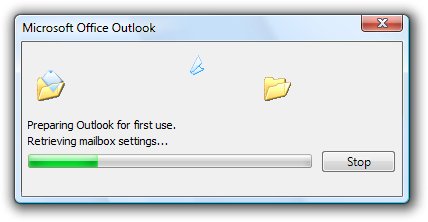
I’m talking about the Progress Bar… you know, “a graphical user interface element that shows the progression of a task, such as a download, file transfer, or installation. It may also include a textual representation of the progress percentage.”
Like this:
Sometimes it even gives you the percent of the task completed as a number, and the better ones give you an idea of how much time is left for completion.
The idea of this is to show the user how much of the task has been done, so they have an idea of how long they have to wait, or whether they can do something else in the meantime, or go out for coffee, or whatever.
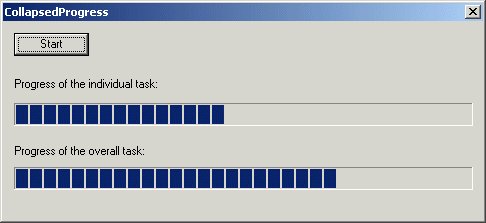
Sometimes, however, a process has several parts, and some designers like to show the completion of individual steps; there is debate out there among software designers as to whether it’s better to have one progress bar or two, like this:
Either way, really, is fine with me, as long as I have an idea of what the total job completion percentage is like.
But what really torques my cork is when a single progress bar goes all the way to the end, and then goes back to the beginning and repeats… over, and over, and over, and over again in the case of complex packages, giving the poor user absolutely no idea of when the flaming job will be done!
Initializing installation
Deleting Old Files
Extracting zip files
Installing…
Installing…
Installing…
Adding registry entries
Finishing up…
And that’s just an example. I’ve seen even more complex processes, with that blistering progress bar starting over each time, and no indication of how much is left to do!
(Image gacked from a Kaspersky website)
So the end of my rant is more of a plea than anything else: If you’re a software developer, please don’t do this! The best option is one progress bar, showing the percentage of the total job that’s complete, and (if possible), how much time is left for completion. Most users don’t care about how many steps there are, or what the installation is doing… they just want it done!
Thank you for coming to my TED talk. I will not be taking question.





 Playing in the World Game